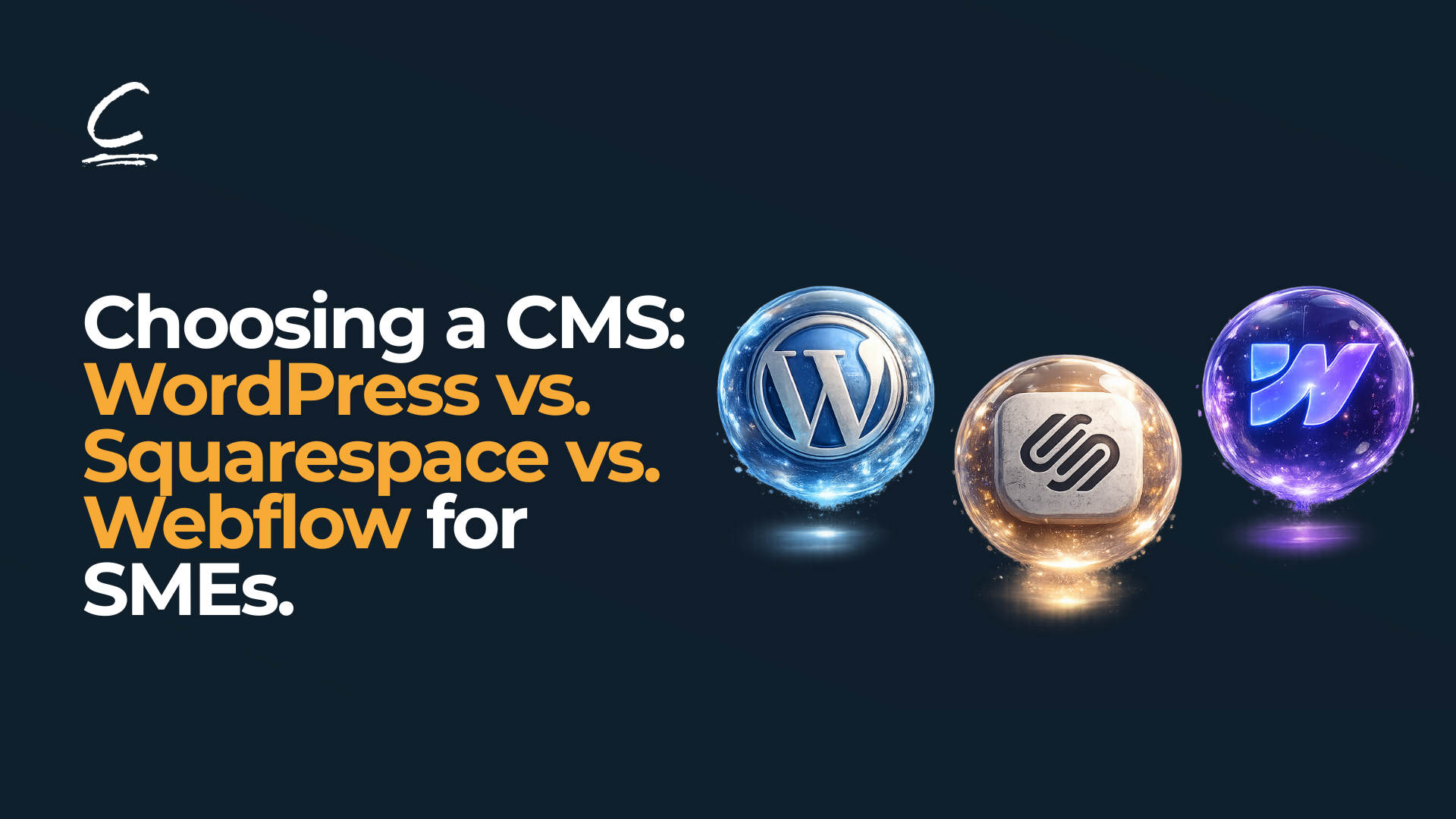
You pick WordPress because you've heard it's free and powerful. Six months later, you're paying a developer £200/month to maintain security updates and fix plugin conflicts. Or you choose Squarespace for its simplicity, then realise you can't customise the design the way you need. Or you invest in learning Webflow only to discover it's overkill for your straightforward service business.
The truth: there's no universally "best" CMS. Each platform excels in different scenarios. WordPress is powerful but demands technical sophistication. Squarespace is beautiful but limiting. Webflow is flexible but pricier. The right choice depends entirely on your specific situation, your skills, budget, growth plans, and what you actually need your website to do.
This article helps you choose based on reality, not marketing claims. By the end, you'll know exactly which platform matches your business.
What Actually Matters in Choosing a CMS
Before comparing features and pricing, step back and answer these foundational questions. They determine which platform actually fits.
Your Technical Skills & Available Resources
Do you have a designer or developer on staff? Can you hire one? Or will you be managing everything solo? This single factor heavily influences your best choice.
If you have technical help available, WordPress opens doors that other platforms can't touch. If you're flying solo and not technical, Squarespace might save you thousands in learning curves and outsourced help. If you're creative and willing to learn visual tools, Webflow splits the difference.
How Much Time Are You Realistically Willing to Invest?
WordPress isn't truly set-and-forget. It requires ongoing maintenance, updating plugins, monitoring security, backing up content, and troubleshooting compatibility issues. If you can dedicate 2-3 hours monthly to these tasks, WordPress works. If you can't, the platform becomes a burden.
Squarespace and Webflow handle maintenance automatically. You focus on content and business. This managed approach costs more monthly but saves enormous time.
Your Growth Trajectory Over the Next 12-24 Months
Are you launching a simple website to establish credibility? Are you planning significant traffic growth? Do you expect to add ecommerce? Will you need complex integrations with other business tools?
Squarespace handles moderate growth well but has real limits. WordPress scales indefinitely. Webflow scales automatically without your involvement. Understanding where you're headed informs which platform won't become a bottleneck.
Budget: Total Cost of Ownership, Not Just Monthly Cost
WordPress looks cheapest (free platform & £5-20 hosting monthly). But total cost includes any developer time, which can be substantial. Squarespace's monthly subscription seems expensive until you calculate what you'd spend hiring someone to maintain WordPress. Webflow's pricing scales but includes hosting, which simplifies budgeting.
Calculate your total annual cost including realistic developer time, then compare.
The Three Platforms at a Glance
WordPress
WordPress is open-source software that you install on web hosting. You control everything: hosting, plugins, themes, updates, security. Maximum flexibility means maximum responsibility.
Best for: Designers, developers, and businesses needing unlimited customisation. Also ideal for established businesses with technical support available. Content-heavy sites, ecommerce stores with complex requirements, and businesses planning significant scaling.
Learning curve: Moderate to steep. Managing WordPress yourself requires understanding hosting, domain configuration, plugin ecosystems, and basic troubleshooting.
Cost structure: Lowest platform cost (free), but variable total cost depending on hosting quality and any developer help. £500-3,000 annually for solo founders; £5,000-15,000+ if hiring developers.
Primary advantage: Complete customisation. If you can imagine it, you can build it with WordPress.
Primary disadvantage: Requires ongoing maintenance and technical knowledge. You're responsible for security, updates, and backups.
Squarespace
Squarespace is an all-in-one, hosted platform. You don't install or manage anything. You design in their visual editor, and Squarespace handles hosting, security, updates, and infrastructure.
Best for: Non-technical business owners, creative professionals (photographers, designers, artists), simple informational sites, and businesses wanting the easiest possible path to a professional website.
Learning curve: Gentle. The interface is designed for non-technical users. Most people can build professional websites within a few hours.
Cost structure: Predictable monthly subscription. £12-33/month depending on features needed. Annual cost: £150-500 total.
Primary advantage: Beautiful templates, ease of use, and zero technical burden. Everything included. You focus on content; Squarespace handles everything else.
Primary disadvantage: Limited customisation. You're working within Squarespace's design constraints. Can't access the underlying code or add arbitrary functionality.
Webflow
Webflow is a visual builder that gives you design freedom similar to professional design software, but builds actual websites. It's hosted (Webflow manages infrastructure) but gives you access to code if you need it.
Best for: Designers wanting visual control without learning to code. Growth-focused SMEs need modern design and flexibility. Agencies building client websites. Businesses wanting to scale without outgrowing the platform.
Learning curve: Medium. The visual builder is intuitive, but accessing advanced features (custom code, interactions, automations) requires a learning curve investment.
Cost structure: Subscription tiers: £12/month (Starter) to £165/month (Business). Plans scale with your feature needs. Annual: £200-2,000 depending on tier.
Primary advantage: Design freedom and code control in one visual interface. Automatic scaling. Excellent SEO by default.
Primary disadvantage: Higher cost than Squarespace. Steeper learning curve than WordPress if using advanced features.
Read More: Web Design Basics: 5 Things You Should Do Before You Build Your Website.
What’s The Difference Between WordPress, Webflow & Squarespace?
Ease of Use & Technical Requirements – Squarespace.
If you're non-technical and want the simplest path to a professional website, Squarespace is unambiguous. Drag-and-drop design, everything included, minimal learning needed. You can build a functional site in an afternoon.
WordPress requires understanding hosting, domain management, plugins, and basic troubleshooting. It's manageable but not simple. If you're not technical, you'll either need to hire someone or spend 10-20 hours learning.
Webflow sits between. The visual builder is intuitive, but advanced customisation requires investing in learning the platform. Most non-technical users find it manageable but steeper than Squarespace.
Verdict: Squarespace for pure simplicity; Webflow for learning-willing users; WordPress for technical founders or those with developer support.
Customisation & Design Flexibility – WordPress.
With WordPress, you can build anything literally. Install a plugin that doesn't exist? Write custom code to add the feature. Want a completely custom design? Build it from scratch or modify existing themes at the code level. Nothing is off-limits.
Squarespace offers beautiful templates with limited customisation. You can change colours, fonts, and layouts within the template structure. But you can't fundamentally alter how it works or add arbitrary custom functionality.
Webflow offers impressive design flexibility, nearly as much as WordPress for visual design. You can customise every pixel, create complex animations, and build sophisticated designs. But it's not as extensible as WordPress if you need custom backend functionality.
Verdict: WordPress for unlimited customisation; Webflow for impressive visual flexibility; Squarespace for elegant but constrained designs.
Cost – Squarespace.
Squarespace: £12-33/month subscription with no hidden costs. Total annual cost for SME is £200-500.
WordPress: Platform is free, but hosting starts at £5-20/month. Most quality hosting for SME traffic: £20-50/month. If you need developer help (and most do), add £1,000-10,000 annually. Total cost: £500-3,000 DIY, or £5,000-15,000 with support.
Webflow: Starts at £12/month (Starter) for basic projects, but most growing SMEs use £25-65/month tiers. Annual: £300-800 for small sites, £1,200+ for feature-rich sites.
For cost: Squarespace wins. Most predictable, true all-inclusive pricing.
For value: Depends on your situation. Squarespace is the cheapest but most limited. WordPress is expensive only if you pay for support. Webflow costs more than Squarespace but less than WordPress with developer support, while offering better design control than Squarespace.
Verdict: Squarespace for budget-conscious; WordPress for DIY technical founders; Webflow for growth-focused businesses.
SEO Capabilities - Webflow.
All three platforms are SEO-capable. None will prevent you from ranking. The differences are subtle:
WordPress gives you maximum SEO control through plugins like Yoast and Rank Math. But you must actively optimise. Page speed depends heavily on hosting and plugin choices. Many WordPress sites are slow due to bloated plugins.
Squarespace provides a good base SEO (mobile-friendly, SSL included, decent speed). Limited advanced control. No plugin ecosystem to add additional optimisation. Sufficient for most SMEs, but less control than other options.
Webflow ships with excellent SEO by default. Built-in best practices, fast performance, automatic, and good control over technical SEO elements. Growing reputation as a genuinely SEO-friendly platform, especially for modern websites.
Verdict: Webflow for best default SEO; WordPress for maximum control; Squarespace for sufficient-for-most SEO.
Scalability & Long-Term Growth - WordPress & Webflow.
WordPress scales to enterprise levels. Any traffic volume is possible, but scaling requires good hosting choices and optimisation knowledge.
Webflow scales automatically without your involvement. Infrastructure handles traffic growth. Suitable for growing SMEs and even enterprises.
Squarespace works great until you hit limits. A successful service business or modest ecommerce store: no problem. Viral growth or complex integrations: eventually you'll outgrow the platform and need to migrate.
Verdict: WordPress and Webflow for businesses planning significant growth; Squarespace for predictable, moderate growth.
Support, Security & Maintenance - Squarespace and Webflow.
Squarespace handles all security, updates, backups, hosting infrastructure. You focus on content. No technical burden. This peace of mind has value.
Webflow similarly manages hosting and security. Automatic updates. Minimal maintenance required. You focus on design and content.
WordPress requires you maintain security (keeping plugins/themes updated), manage backups, monitor for vulnerabilities. It's not complicated, but it demands attention. Neglect these tasks and your site becomes vulnerable.
Verdict: Squarespace/Webflow for peace of mind; WordPress if you have technical support available.
Read More: Designing high-converting landing pages for B2B services
Which CMS Platform Should You Choose for Your Business?
You Should Choose Squarespace If:
- You're non-technical and want simplicity.
- You're launching a simple informational or portfolio site.
- Budget is the primary concern.
- You value having everything included and managed.
- You want beautiful templates without customisation headaches.
You Should Choose Webflow If:
- You're a designer or willing to learn visual design tools.
- You want design flexibility and modern functionality.
- You're planning significant growth.
- You value automatic scaling without your involvement.
- You want good SEO without compromises.
You Should Choose WordPress If:
- You need unlimited customisation and flexibility.
- You have technical skills or developer support available.
- You're building complex functionality (advanced ecommerce, integrations).
- You're willing to manage updates and security.
- You're planning enterprise-scale growth.
- Cost is less important than capability.
Common Mistakes SMEs Make When Choosing CMS
Mistake 1: Choosing based only on cost
WordPress looks cheapest but isn't if you factor developer time. Webflow's monthly cost seems expensive until you compare total cost against WordPress with support. Total cost matters more than platform cost.
Mistake 2: Underestimating WordPress maintenance
People think "free WordPress" means hands-off. It doesn't. Updates, security monitoring, backups, and troubleshooting require attention. If you won't do this, WordPress becomes expensive or risky.
Mistake 3: Outgrowing Squarespace without planning
Realizing your chosen platform can't do what you need mid-growth = costly, disruptive migration. Better to choose with future growth in mind.
Mistake 4: Choosing based on trends
"Everyone's using Webflow" doesn't mean it's right for you. Similarly, "WordPress is old tech" misses that it powers 40% of the internet for good reason. Choose based on your needs, not trends.
Mistake 5: Assuming platform choice is permanent
It's not. You can migrate between platforms, though it requires planning and work. This shouldn't affect your decision. Choose the best platform for now, knowing you can change later if needed.
FAQ: Questions SMEs Actually Ask
Is WordPress still the best choice in 2026?
WordPress remains excellent if you have technical support or skills. It's #1 because it's versatile, not because it's universally best. If you're non-technical, Squarespace or Webflow might serve you better.
Can Squarespace actually handle a growing business or will I outgrow it?
Squarespace handles most SME growth well. Service businesses, creative portfolios, and modest ecommerce all work fine at scale. You'll only hit limits if you have unusual customisation needs or viral-level traffic. Plan to potentially migrate if you grow significantly, but don't let this affect your choice.
Why is Webflow so expensive if WordPress is free?
You're paying for managed hosting, automatic updates, designer-friendly interface, and support. The "free" WordPress doesn't include hosting or support. Total cost of WordPress with decent hosting and occasional help often exceeds Webflow's monthly cost while offering less design flexibility.
Do I really need a CMS or could I use something simpler?
A CMS (Content Management System) means you manage content yourself. If you want to update your website regularly, add blog posts, and change pricing, you need a CMS. If your site is truly static (never changes), simpler options exist. For SMEs, a CMS is standard.
Which is best for ecommerce?
WordPress with WooCommerce is powerful and cost-effective for complex ecommerce. Squarespace handles basic ecommerce well. Webflow can do ecommerce but isn't its primary focus. For sophisticated online retail, WordPress wins.
What if I choose wrong and want to switch later?
Migration is possible but requires effort (and often cost if hiring someone). Choose the best platform for now, knowing switching is feasible if needed.
How much does it cost to migrate between CMS platforms?
DIY migration: 20-40 hours of time (could be weeks). Hiring migration specialists: £2,000-5,000 depending on site complexity. This shouldn't be your primary concern when choosing initially, but it's worth knowing.
Conclusion
Choosing a CMS is a strategy decision first, a technology decision second. The "best" platform for you depends on your technical skills, budget constraints, growth plans, and what you actually need your website to do.
Squarespace wins for simplicity and predictable cost. Webflow wins for design flexibility and automatic scaling. WordPress wins for unlimited customisation and capability. None are universally best; they're differently good for different situations.
The real mistake isn't choosing one over another. It's overthinking the decision or choosing based on factors that don't match your actual situation. Most SMEs thrive with any of these platforms. The platform that best fits your constraints will serve you well.
Your next step: Take advantage of free trials (Squarespace and Webflow both offer them). Spend an hour building a simple test page on each. See which feels most natural to you and aligns with your constraints. That's often the best choice.
Need guidance building your chosen CMS or planning migration? CHILD Creative Studio has guided a lot of SMEs through CMS selection, implementation, and optimisation. Whether you're launching on Squarespace, designing in Webflow, or building on WordPress, we help translate platform choice into a strategy that drives business growth. Let's discuss your CMS strategy.


















.png)



.png)



.png)





.png)

.png)